
Log and review expenses
Add an expense with its amount, category, date, vendor, and receipt, then find or export it later.
Log a business cost while the date, amount, and receipt are easy to verify. A clear description and vendor make the record easier to find later.
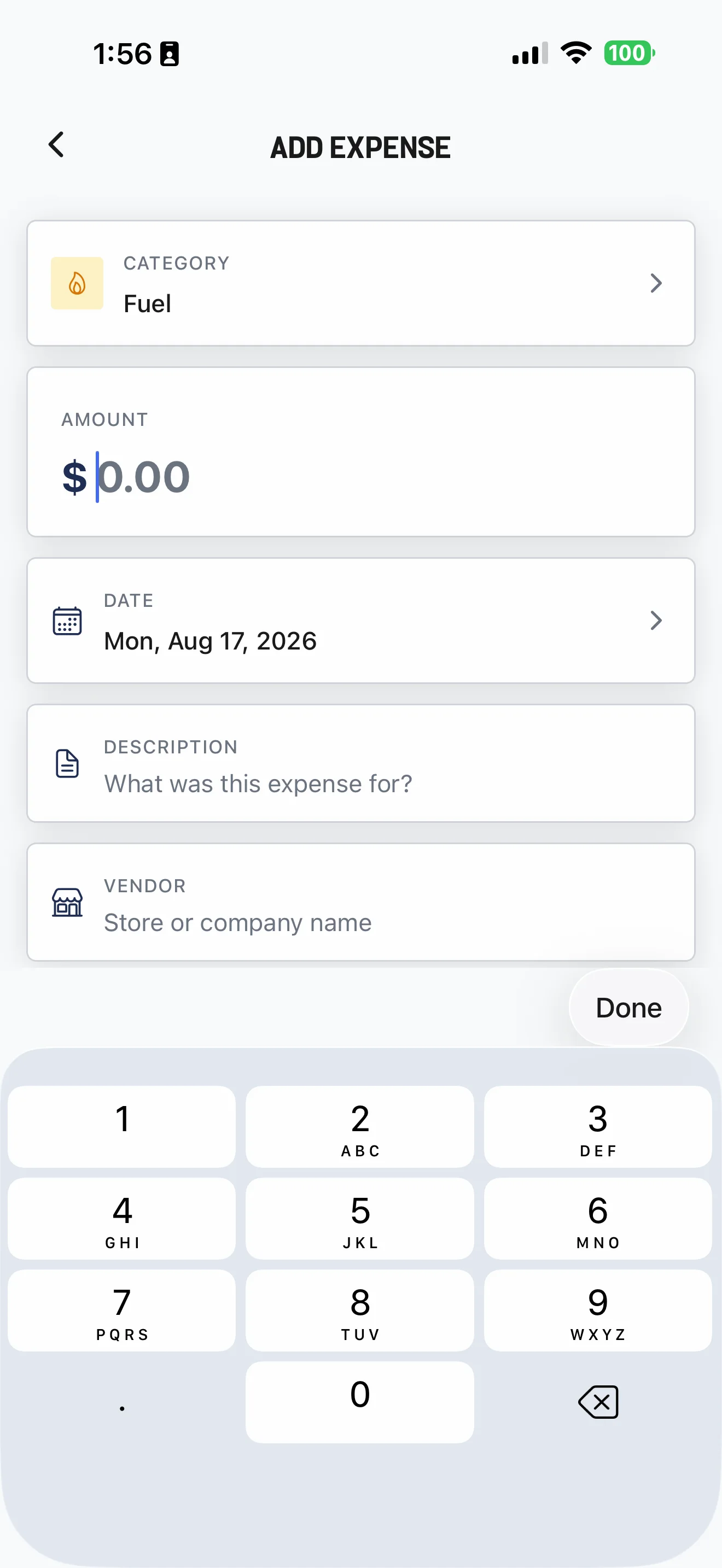
Add the expense
- Open Expenses and select New Expense.
- Enter the date, amount, category, and description.
- Add the vendor and an optional receipt.
- Save, then confirm the expense appears in the list.
- Open Money → Log Expense, or open Expenses.
- On ADD EXPENSE, enter the category, amount, date, description, and vendor.
- Add mileage when relevant, and attach a receipt from the camera or photo library.
- Save and confirm the record.
An expense started from a Session can be allocated to that work. Expenses created elsewhere do not need to be job-linked.
Find, correct, or export records
On the web, use search, category filters, and the date range to narrow the list. Open a record to edit or delete it, or export the filtered expense data as CSV.
Cleanr records the information you enter; it does not determine whether an expense or mileage entry is deductible. Review exports with your accounting or tax professional when needed.
Related guides
Was this guide helpful?
Feedback sends only this guide's path and your selected answer—never free text or account information.
Review Money on iPhone
Use the Overview, Action, and Ledger segments to see collections, outstanding balances, and work that needs attention.
Fix common Cleanr problems
Recover safely from offline changes, missing notifications, camera or photo trouble, and customer payment problems without duplicating work.