
Cleanr Help Center
Learn how to set up Cleanr, schedule cleaning appointments, coordinate staff, invoice customers, and keep the day moving.
Get a cleaning business from first setup to paid work—or jump straight to the task you need in the middle of a busy day.
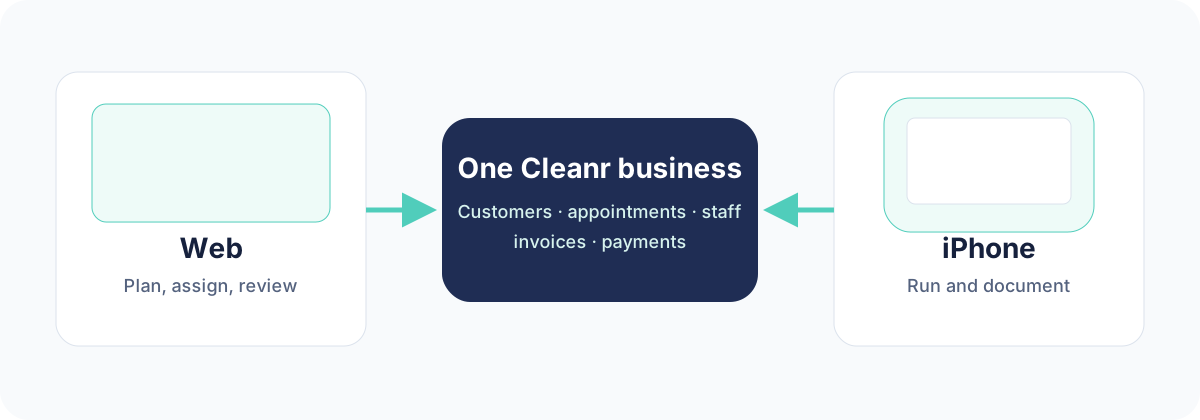
Plan and review on the web. Run the day on your iPhone. Both workspaces use the same customers, appointments, sessions, invoices, and payments.
Start with an outcome
Set up Cleanr
Create the owner account and finish the business basics.
Book the first appointment
Add a customer and put the first clean on the schedule.
Plan the schedule
Use day, week, month, route, search, and filters.
Run today's work
Find the next stop, open its instructions, and start the session.
Create an invoice
Turn a completed session into an invoice and send it.
Invite staff
Invite a cleaner and help them join the correct business.
Move faster or fix a problem
Import from Jobber
Move supported customer data into Cleanr and review the result.
Search Cleanr
Find customers, appointments, invoices, quotes, and other records quickly.
Plan a better route
Review the day on the map and improve the stop order safely.
Manage automatic payments
Understand cards on file, auto-charge settings, and ACH availability.
Export staff time
Prepare timecard records for payroll or further review.
Recover from sync trouble
Refresh safely, avoid duplicate records, and know when to contact support.
Choose the right workspace
Use the web at app.trycleanr.com for… | Use Cleanr on iPhone for… |
|---|---|
| Planning and reviewing the schedule | Seeing today's assigned work |
| Working with larger customer and invoice lists | Starting, documenting, and completing a session |
| Assigning staff and clearing attention items | Calling, messaging, or navigating to a customer |
| Configuring services, billing, and business settings | Capturing notes, checklist progress, and photos |
Screen layout and available actions can differ by role. Guides call out Web, iPhone, Owner, and Cleaner paths whenever the distinction matters.
Need more help?
Search this help center first. If the answer is not here, open Help & Support in Cleanr or email hello@trycleanr.com with the task you were trying to complete and what happened.
Was this guide helpful?
Feedback sends only this guide's path and your selected answer—never free text or account information.