
Use schedule views and filters
Choose the Cleanr schedule view, search, and filters that fit the planning task on web or iPhone.
Choose a view for the question you are answering: use Day for today’s sequence, Week for capacity, Month for coverage, and the available route map for travel planning.
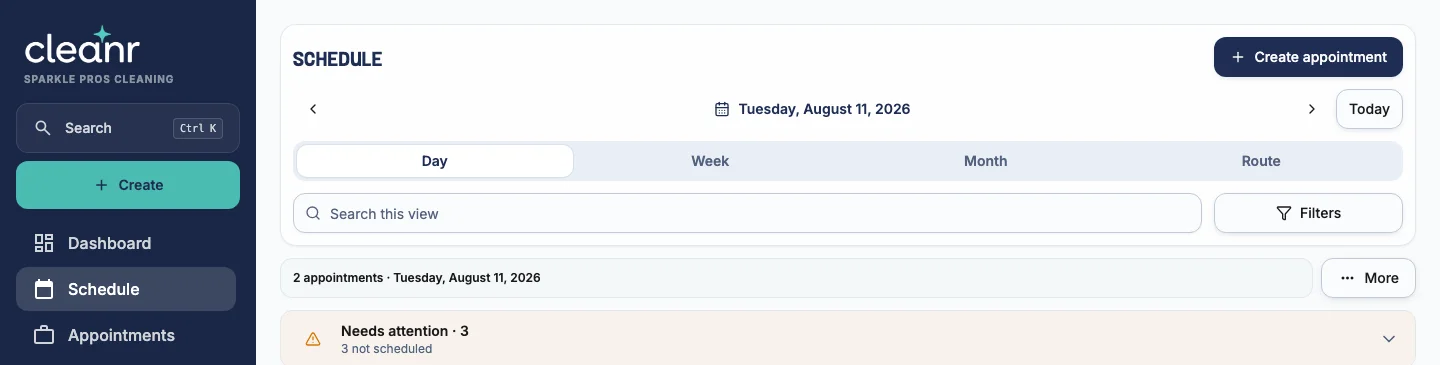
Find the work you need
- Open Schedule.
- Select Today or use the date controls to reach the right period.
- Choose Day, Week, Month, or Route.
- Use Search to narrow the visible appointments by their displayed details.
- Open Filters to choose All, Open, or Completed, select one or more staff members, and apply the filter.
- Under View settings, use Show staff with no appointments or Show weekends when those rows or days matter to the plan.
Select Clear all when a saved filter makes expected work seem missing.
- Open Schedule.
- Choose Day, Week, or Month.
- Use the date header to move backward or forward, or jump to today.
- On Day, use the staff filter when it is available to your role.
- To see the route, stay on Day and tap Open route map in the date header.
The iPhone app does not have a fourth Route view like the web schedule. Its route map opens from the Day header. Web search, status filters, and view settings are also not the same controls as the iPhone staff filter.
Understand schedule visibility
Owners can filter the iPhone schedule by staff and unassigned work. A Cleaner sees assigned work and any additional staff schedules allowed by the owner’s Staff Schedules setting. If a Cleaner cannot see another person’s Sessions, check that setting before assuming the work is missing.
Use Needs attention on the web when the issue is not discovery but missing staff, a missing date, or another planning exception.
Related guides
Was this guide helpful?
Feedback sends only this guide's path and your selected answer—never free text or account information.